• Microblog
  • News
    • Apps
    • Gaming
    • Internet
    • Security
    • Social Networks
    • Artificial Intelligence
    • Android
  • Gear
    • Audio
    • PC
    • Phones
    • Smart Home
    • Video
  • Guide
    • AI Tools Guide
    • WhatsApp Tips
    • Social Media Guide
    • Mobile Plans Guide
    • Android & iPhone Guide
    • Productivity Apps Guide
    • How To
    • Top
    • Best
  • Telecom
    • Mobile Plans Guide
    • Jio Fiber
    • Airtel
    • 5G
    • Recharge Plans
    • BSNL
  • Aetherfor Mac
  • Apollofor iPhone & iPad
  • About Us
  • Contact Us
  • Team
  • Disclaimer
  • Careers
  • Guest Post
  • Facebook
  • Twitter
  • Linkedin
  • Instagram
  • Google
Skip to content
  • About Us
  • Contact Us
  • Team
  • Disclaimer
  • Careers
  • Guest Post
  • Facebook
  • Twitter
  • Linkedin
  • Instagram
  • Google
Techchahiye

Techchahiye

Your Everyday Tech Guide

  • News
    • Apps
    • Gaming
    • Internet
    • Security
    • Social Networks
    • Artificial Intelligence
    • Android
  • Gear
    • Audio
    • PC
    • Phones
    • Smart Home
    • Video
  • Guide
    • AI Tools Guide
    • WhatsApp Tips
    • Social Media Guide
    • Mobile Plans Guide
    • Android & iPhone Guide
    • Productivity Apps Guide
    • How To
    • Top
    • Best
  • Telecom
    • Mobile Plans Guide
    • Jio Fiber
    • Airtel
    • 5G
    • Recharge Plans
    • BSNL
  • Aetherfor Mac
  • Apollofor iPhone & iPad
  • Microblog
Subscribe
  • Primary Topics:
  • AI & ChatGPTTools & safe use
  • WhatsAppTips & privacy
  • Social mediaAccounts & safety
  • Mobile plansJio, Airtel & OTT
  • Android & iPhoneUpdates & fixes
  • Productivity appsGoogle, Excel & more
Home » News » Apps

Category: Apps

Original line art of a phone, chat bubbles and a clock. Includes the official WhatsApp logo.
Posted inApps

WhatsApp Disappearing Messages: Choose the Right Timer

by Sanjay Kumar MonuNovember 6, 2026November 6, 2026

Set or turn off WhatsApp disappearing messages. Choose a chat or default timer. Understand group rules, kept messages and the limits of expiry.

Original line art connects two SIM cards through a phone. Includes the official WhatsApp logo.
Posted inApps

How to Change Your WhatsApp Number and Keep Your Account

by Sanjay Kumar MonuNovember 6, 2026November 6, 2026
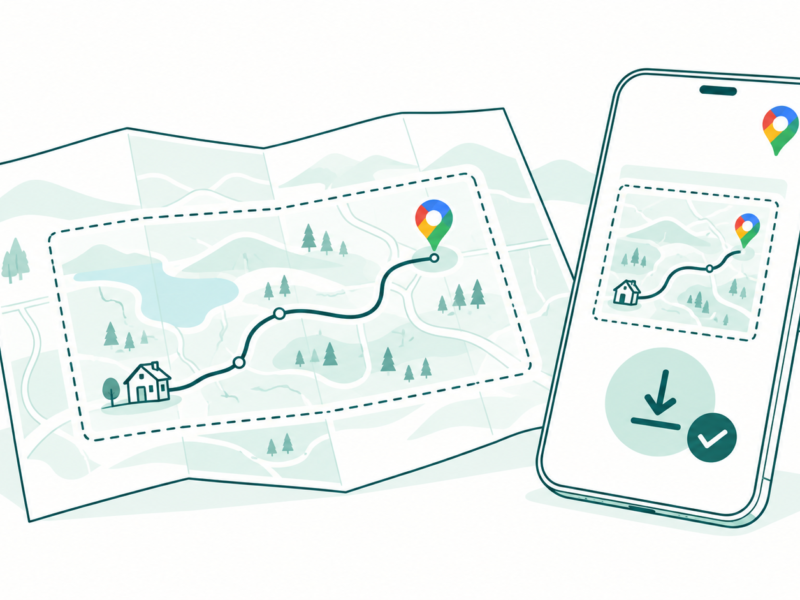
Line art of a phone and folded route map showing a locally downloaded driving area beside the Google Maps pin.
Posted inApps

Google Maps Offline: Prepare a Map Before You Lose Signal

by Sanjay Kumar MonuOctober 26, 2026October 26, 2026
Two people check a phone conversation beside a Wi-Fi symbol and a dotted connection with a gap
Posted inApps

RCS Not Working? Check Google Messages Step by Step

by Sanjay Kumar MonuOctober 25, 2026October 25, 2026
A Gmail user reviews a large envelope beside separate containers for mail, Drive documents and Photos
Posted inApps

Gmail Storage Full? Find What Uses Your Account Space

by Sanjay Kumar MonuOctober 25, 2026October 25, 2026
A phone releases local photo cards while matching photos stay in a cloud with the Google Photos pinwheel
Posted inApps

Google Photos Free Up Space: Keep the Right Copies

by Sanjay Kumar MonuOctober 25, 2026October 25, 2026

Posts pagination

1 2 3 … 53 Older posts

Latest Article

How to Turn Off Auto Caps in Google Docs Without Changing Every Word
How To

How to Turn Off Auto Caps in Google Docs Without Changing Every Word

Stop unwanted capital letters while keeping the correction tools you still need.
November 6, 2026November 6, 2026
How to Use Voice Typing in Google Docs and Fix Missed Words
How To

How to Use Voice Typing in Google Docs and Fix Missed Words

Start a spoken draft, check microphone access and review the words that matter.
November 6, 2026November 6, 2026
Make Google Docs Available Offline Before You Need It
How To

Make Google Docs Available Offline Before You Need It

Prepare the right device and account, check files and confirm the return to online work.
November 6, 2026November 6, 2026
WhatsApp Disappearing Messages: Choose the Right Timer
Apps

WhatsApp Disappearing Messages: Choose the Right Timer

Set the right chat or default timer, understand group rules and check the limits of expiry.
November 6, 2026November 6, 2026
How to Turn On Dark Mode in Google Docs by Device
How To

How to Turn On Dark Mode in Google Docs by Device

Choose a mobile theme and understand browser appearance, page color, and light preview.
November 6, 2026November 6, 2026
  • Facebook
  • Twitter
  • Linkedin
  • Instagram
  • Google
Techchahiye

Your everyday tech guide. Clear explainers on apps, phones, plans and AI for readers in India.

Follow us

Guides

  • AI tools guide
  • WhatsApp tips
  • Social media guide
  • Mobile plans guide
  • Android and iPhone
  • Productivity apps

Sections

  • News
  • How to
  • Phones
  • Telecom
  • Security
  • Gaming

Company

  • About us
  • Contact us
  • Team
  • Privacy policy
  • Disclaimer
  • Write for us
© 2026 Techchahiye Powered by Newspack Privacy Policy