• Microblog
  • News
    • Apps
    • Gaming
    • Internet
    • Security
    • Social Networks
    • Artificial Intelligence
    • Android
  • Gear
    • Audio
    • PC
    • Phones
    • Smart Home
    • Video
  • Guide
    • AI Tools Guide
    • WhatsApp Tips
    • Social Media Guide
    • Mobile Plans Guide
    • Android & iPhone Guide
    • Productivity Apps Guide
    • How To
    • Top
    • Best
  • Telecom
    • Mobile Plans Guide
    • Jio Fiber
    • Airtel
    • 5G
    • Recharge Plans
    • BSNL
  • Aetherfor Mac
  • Apollofor iPhone & iPad
  • About Us
  • Contact Us
  • Team
  • Disclaimer
  • Careers
  • Guest Post
  • Facebook
  • Twitter
  • Linkedin
  • Instagram
  • Google
Skip to content
  • About Us
  • Contact Us
  • Team
  • Disclaimer
  • Careers
  • Guest Post
  • Facebook
  • Twitter
  • Linkedin
  • Instagram
  • Google
Techchahiye

Techchahiye

Your Everyday Tech Guide

  • News
    • Apps
    • Gaming
    • Internet
    • Security
    • Social Networks
    • Artificial Intelligence
    • Android
  • Gear
    • Audio
    • PC
    • Phones
    • Smart Home
    • Video
  • Guide
    • AI Tools Guide
    • WhatsApp Tips
    • Social Media Guide
    • Mobile Plans Guide
    • Android & iPhone Guide
    • Productivity Apps Guide
    • How To
    • Top
    • Best
  • Telecom
    • Mobile Plans Guide
    • Jio Fiber
    • Airtel
    • 5G
    • Recharge Plans
    • BSNL
  • Aetherfor Mac
  • Apollofor iPhone & iPad
  • Microblog
Subscribe
  • Primary Topics:
  • AI & ChatGPTTools & safe use
  • WhatsAppTips & privacy
  • Social mediaAccounts & safety
  • Mobile plansJio, Airtel & OTT
  • Android & iPhoneUpdates & fixes
  • Productivity appsGoogle, Excel & more
Home » Browser » Page 2

Tag: Browser

Internet browsers do more than open a page. The right tool depends on how you use the web. This archive covers new apps, privacy tools and past updates. Start with the browser and device you have, then choose a guide for the specific change you want.

Choose one task to compare

Web browser features here include network controls, image support and search tools. There are reports on new app versions too. Each tool solves a different problem. A tool that limits network use has a specific job. It does not tell you which browser opens every page fastest.

Our Google Chrome, Firefox and Microsoft Edge archives focus on one product at a time. The Chromium browser collection explains the shared software behind several browser stories. Shared code does not give every app the same menus or account tools.

Check privacy and add-ons

Browser privacy settings can affect cookies, saved site data and permissions. Google’s Chrome cookie help notes that deleting cookies can sign you out and remove saved preferences. Read the scope of a cleanup before expecting it to change only one troublesome page.

Browser extensions add another layer to review. Check who made the add-on and what it can access. Read those details before you install it. An add-on in an old launch report may have changed or closed. Keep the actual task in view rather than adding tools just because they appear in a list.

Match updates to the platform

Browser updates can reach desktop browsers and mobile browsers at different times. Read which system and browser version the report covers. A phone screenshot may not show the same settings as the computer app with the same name.

For tasks on the sites themselves, browse useful websites. The reports below record past tools and releases across internet browsers. Use them to understand the change. Then check current product help before using an old setup step or download link on your device.
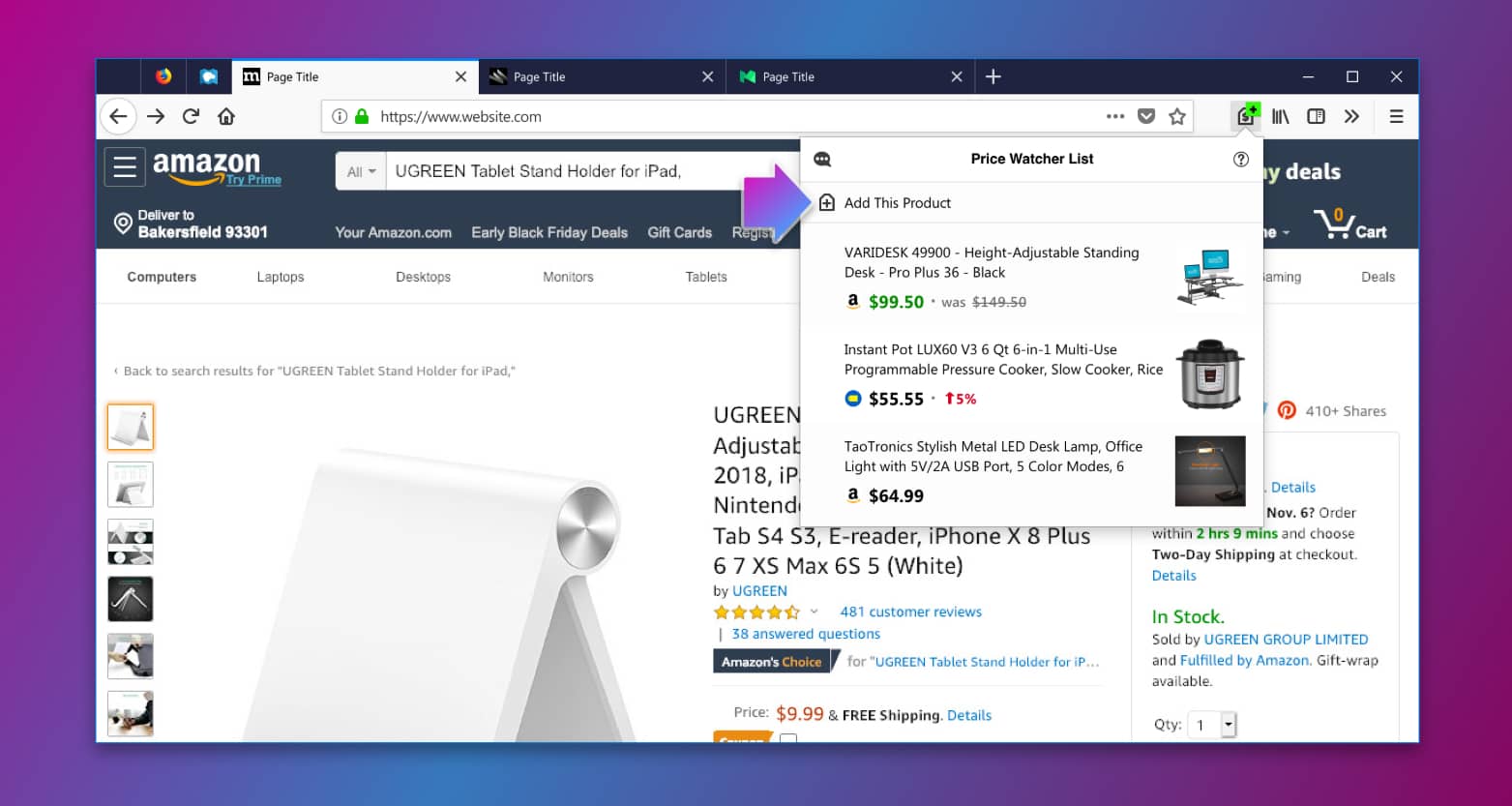
Firefox Launches Price Tracking Extension Price Wise
Posted inInternet

Firefox Launches Price Tracking Extension Price Wise

by Sanjay Kumar MonuNovember 13, 2018
Firefox Focus Brings Search Suggestions
Posted inApps

Firefox Focus Brings Search Suggestions and Revamp Design

by Sanjay Kumar MonuOctober 2, 2018
Mozilla Launches Firefox Reality Browser
Posted inInternet

Mozilla Launches Firefox Reality Browser for VR and AR Platforms

by Sanjay Kumar MonuSeptember 18, 2018September 25, 2018
Microsoft Edge Browser Supports WebP Image Format in Windows 10 Redstone 5
Posted inPC

Microsoft Edge Browser Supports WebP Image Format in Windows 10 Redstone 5

by Sanjay Kumar MonuJuly 25, 2018September 20, 2018

Posts pagination

Newer posts 1 2

Latest Article

Samsung Battery Protection: Choose Your Charge Limit
Phones

Samsung Battery Protection: Choose Your Charge Limit

Choose a supported limit, plan your day and understand a charging pause.
November 9, 2026November 9, 2026
How to Turn Off Auto Caps in Google Docs Without Changing Every Word
How To

How to Turn Off Auto Caps in Google Docs Without Changing Every Word

Stop unwanted capital letters while keeping the correction tools you still need.
November 6, 2026November 6, 2026
How to Use Voice Typing in Google Docs and Fix Missed Words
How To

How to Use Voice Typing in Google Docs and Fix Missed Words

Start a spoken draft, check microphone access and review the words that matter.
November 6, 2026November 6, 2026
Make Google Docs Available Offline Before You Need It
How To

Make Google Docs Available Offline Before You Need It

Prepare the right device and account, check files and confirm the return to online work.
November 6, 2026November 6, 2026
WhatsApp Disappearing Messages: Choose the Right Timer
Apps

WhatsApp Disappearing Messages: Choose the Right Timer

Set the right chat or default timer, understand group rules and check the limits of expiry.
November 6, 2026November 6, 2026
  • Facebook
  • Twitter
  • Linkedin
  • Instagram
  • Google
Techchahiye

Your everyday tech guide. Clear explainers on apps, phones, plans and AI for readers in India.

Follow us

Guides

  • AI tools guide
  • WhatsApp tips
  • Social media guide
  • Mobile plans guide
  • Android and iPhone
  • Productivity apps

Sections

  • News
  • How to
  • Phones
  • Telecom
  • Security
  • Gaming

Company

  • About us
  • Contact us
  • Team
  • Privacy policy
  • Disclaimer
  • Write for us
© 2026 Techchahiye Powered by Newspack Privacy Policy