

Start with what fails
Separate a missing 5G icon from slow data or lost service. Check your model, active SIM, plan and local coverage. Use small tests before a reset and keep clear notes for your carrier.
Key Takeaways
- With 5G not working, first check whether mobile data fails or only the 5G icon is missing. Those need different checks.
- Your exact phone model, carrier, plan and location all matter. A 5G label on a box is not proof of support on every network.
- Test one change at a time. Check the active data SIM, network mode and official carrier notices before a reset.
- A network reset has side effects. Read the device’s warning. Keep needed connection details. Avoid deleting an eSIM as a routine fix.
5G not working can mean several things. Your phone may show LTE while data still works. It may show a 5G icon but load pages slowly. Or it may lose mobile service altogether. Start by naming what fails before changing settings or buying a new SIM.
This guide covers phone checks for US readers, with a separate section for India. It follows Apple, Google and carrier support guidance checked on October 25, 2026. We have not tested your phone or confirmed a live outage. Use the steps to narrow the problem, then give your carrier clear facts if you need help.
5G Not Working: Identify the Symptom First
Write down what the phone shows and what you can still do. Check whether a normal web page opens on mobile data. Note whether calls work. If Wi-Fi is on, you may be testing your home connection instead of the mobile network. Google recommends turning Wi-Fi off when checking a Pixel’s mobile signal.
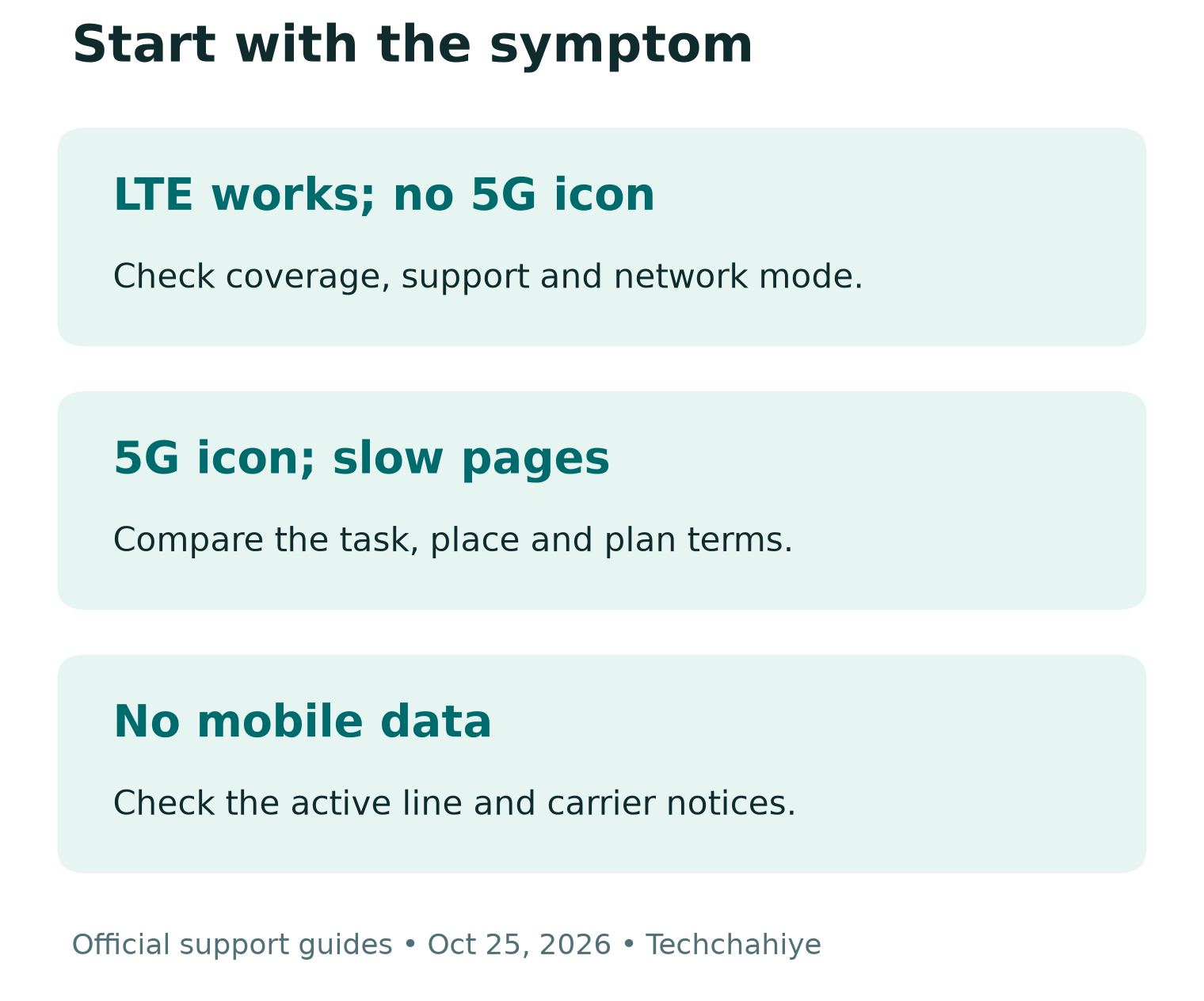
| What you notice | Start with this check |
|---|---|
| LTE works, but no 5G icon | Coverage, phone support and network mode |
| 5G icon, slow pages | The task, location, network load and plan terms |
| No mobile data on either network | Data SIM, line state and carrier notices |
| One app fails, other sites work | That app or service before radio settings |
| Wi-Fi fails, mobile data works | The Wi-Fi connection as a separate issue |
Choose a small test you can repeat. Open the same ordinary page in the same browser. Avoid a large download as the first test, since it can use a lot of data. Keep a note of the time, location and result. This gives later changes a useful point of comparison.
Do not call every missing icon an outage. One phone in one room cannot establish a network-wide fault. A working LTE connection is a useful clue. The phone has some mobile service. That narrows the question to why 5G is absent or unused.
Check Phone Support, Plan and Coverage Together
Apple says using 5G needs a supported iPhone, carrier and cellular plan. Google also directs Pixel owners to check the exact phone model and carrier. These are separate conditions. A setting cannot add missing radio support or change what a plan includes.
Find your exact model code in the phone’s settings. Use the maker’s specifications and the carrier’s device checker for that model. Do not rely on the product-family name alone. Regional versions can have different support. Check this with an imported or second-hand phone.
Google’s Pixel compatibility guide lists model IDs and the types of 5G they support. It also explains that performance varies with network traffic, location and obstructions. Use that guide to identify your model, then ask the carrier about its support. Avoid guessing from the phone’s age or screen size.
Next, check the active line and its current plan through your carrier. Confirm 5G access for that line, rather than for another line on a family account. If you changed plans or moved a SIM recently, mention that when asking for help. The timing may point to an account or setup issue.
Finally, check the carrier’s coverage information for where you use the phone. Verizon describes its map as approximate outdoor coverage, not a service guarantee. A shaded map area is a useful clue. It is not proof of a strong connection inside a particular room.
Try Small Checks Before Changing More Settings
Start with the active data line and mobile-data switch. Make sure the intended SIM is on. Check that Airplane Mode is off during normal use. Then use the maker’s suggested reconnect step. Apple includes turning Airplane Mode on and off in its missing-5G checks.
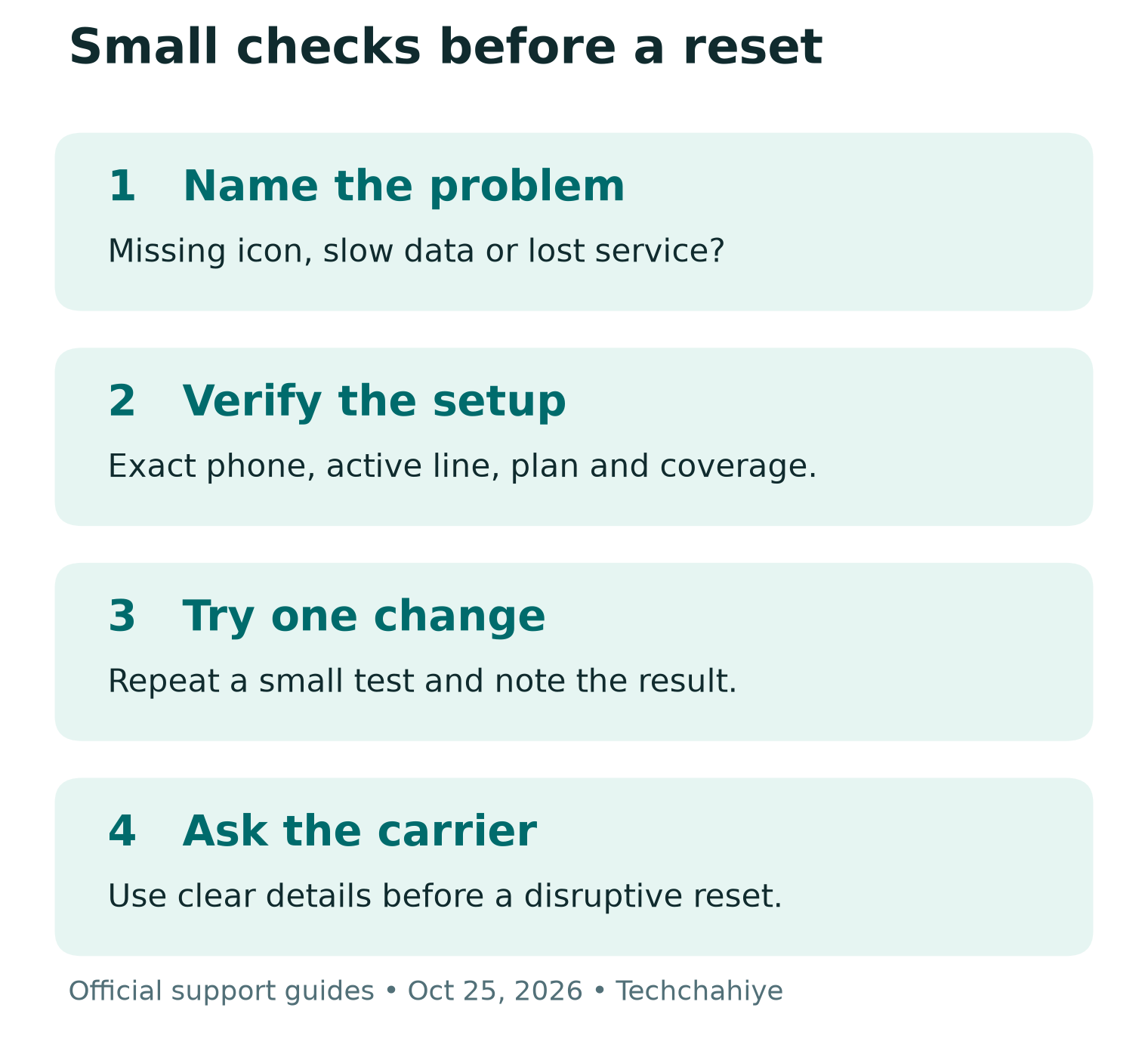
Keep reconnection steps brief and deliberate. They interrupt the connection, so avoid them during a call or a task you need to finish. After the phone reconnects, repeat the same small test. Record the result before moving on.
Google’s Pixel guide suggests a power cycle. Turn the phone off, wait thirty seconds, then turn it on. Follow the instructions for your model. Do not press unfamiliar button combinations from a video for a different phone. An ordinary power cycle is different from a recovery-menu reset.
Check for an official software update through the phone’s normal settings. Use a trusted connection and the maker’s instructions. An update may affect network support. That does not mean every connection issue needs an update. Read the notes if the carrier or maker names your model.
Stop after a successful change and test for a while. There is no value in continuing to reset settings after the problem has gone away. A short record of what helped can also save time if the issue returns.
5G Not Working on iPhone: Check Voice and Data
Apple’s 5G guide explains the main choices under Voice & Data. 5G Auto can use LTE when 5G does not give a clear benefit. 5G On uses 5G when it is available and may reduce battery life. LTE restricts the phone to LTE even where 5G exists.
On supported models, look in Settings, Cellular or Mobile Data, then the line’s data options. With Dual SIM, select the number you want to check. Menu wording can vary by market. Compare your screen with Apple’s current guide. Avoid copying a screen from an older version.
If you use 5G Auto and LTE works, the behavior may be deliberate. Changing to 5G On does not create coverage. Use it only as a supported setting choice, then judge the result and battery use. Do not treat the constant presence of a badge as the only measure of a good connection.
Keep Data Mode separate from Voice & Data. Apple describes Low Data Mode as limiting background work and data use. That is a different control from choosing LTE or 5G. Changing a data-use preference does not prove that the carrier has enabled 5G for your line.
5G Not Working on Android: Use Your Maker’s Menus
Android menus vary by maker, software and carrier. Google’s Pixel guide uses Settings, Network & Internet, then SIMs. Check that Mobile data and Use SIM are on. The preferred network option may include 5G. Choices depend on your carrier and country.
If you have a Samsung, OnePlus or another Android phone, use that maker’s guide for the exact model. Search within Settings for the network option if needed. Avoid assuming that a Pixel path or a hidden dialer code applies to every Android device.
Google also notes that Battery Saver turns off 5G on Pixel. Check its state when investigating slow or missing 5G on that device. Do not extend that rule to every phone. Other makers and models may manage power and network use in different ways.
Keep a screenshot of the setting before changing it. That makes it easy to return to the previous state. Use the normal options the maker provides. Avoid unofficial tools that lock the phone to a radio band. If an expected option is missing, ask the carrier or maker why.
Check the Right SIM and Account
With two lines on a phone, first establish which one supplies mobile data. A plan with 5G on one line does not confirm the settings or benefits of the other. Check the line label in Settings and compare it with the carrier account you are reviewing.
If a line shows a SIM error, write down that exact message. Treat it as a separate clue from a weak signal. Verizon says the SIM needs a link to an active account. It must also support the device. The carrier can check that link without you guessing which account change to make.
An eSIM is not a cache to clear. Avoid deleting it as a quick repair attempt. Apple lists Delete All eSIMs as a separate action. It removes those profiles. You would need to set up service again. Ask the carrier for a recovery plan before any step that removes your working line.
If the issue began after a transfer, tell support the old and new phone models and when the change happened. Use the carrier’s official support channel. Keep account numbers and ID papers private. Keep activation codes out of public comments and screenshots too.
Read Carrier Notices Before Assuming a Phone Fault
Check your carrier’s official status or outage tools. Look for information that matches the service, area and time. A notice about home broadband may not describe a mobile-phone issue. A notice from last week cannot establish what is happening now.
T-Mobile says tower work or a fault may affect service. Its outage guide explains this. It tells affected phone users about Wi-Fi Calling as an option where supported. That is general guidance, not a claim of an outage today. Use your account’s current notice to decide whether it applies.
Do others nearby on the same carrier have similar trouble? Include that fact in a support report. It strengthens the question about local service. It still does not prove the exact cause. People may use different plans, phone models or network modes.
Avoid repeated resets while the carrier confirms a local problem. Save the notice and its update time, then follow the carrier’s next steps. If you need to stay reachable, use a working connection or supported calling option. Do not spend money on a new phone before establishing what failed.
Slow 5G Is a Different Problem From No 5G
Verizon lists several possible causes of poor service. These include weak signal, network load and changed phone settings. A busy event can put more demand on a network. Walls and terrain can also affect reception. None of those possibilities proves the cause on your own phone.
Compare one place with another when it is practical and safe. Try a normal open area rather than a basement, then repeat the same task. Note whether the result changes. Do not stand somewhere unsafe or keep looking at the phone while walking to test a signal.
Record the kind of problem, not only a speed number. Does a page take time to start? Is a video pausing? Do calls drop? Those symptoms are different. A fast download only tests one task. It does not prove that calls or games will work well.
If you use a speed test, check its data use and repeat under similar conditions. Keep the time, location, network indicator and result together. A single result is one sample. It is not a fair basis for declaring one carrier faster across the US or India.
Check current plan terms if performance changes after heavy use. Ask the carrier about any relevant limits or network management for your exact line. An unlimited-plan headline is not the full set of terms. Check the limits for your use.
India: Verify the Carrier’s Own Conditions
Jio’s SIM FAQ says existing Jio SIMs, including eSIMs, are 5G-ready. It still requires a compatible phone and an eligible True 5G plan. That is a Jio-specific answer. It does not establish a SIM policy for every carrier in India or the US.
For an Indian line, check current coverage, the exact handset and the plan attached to your number. Read the offer in the carrier’s official app or site. Avoid buying an add-on based on an old screenshot. A recharge price or eligibility threshold can change.
If you imported the phone, use its full regional model code in your question to support. A familiar product name does not settle support for a local network. Ask about your phone, software, SIM and plan together. The brand name alone cannot settle support for 5G.
Techchahiye’s mobile-plans guide can help organize plan questions. For the actual connection issue, use the carrier’s current eligibility and support pages. Keep plan shopping separate from diagnosis. A more expensive recharge is not a sensible first fix when you do not know what failed.
A Network Reset Comes Later
Use a network reset only after the smaller checks and the device’s official guidance. Apple warns that resetting network settings removes saved networks and non-managed VPN settings. Google distinguishes resetting Pixel mobile-network settings from resetting Bluetooth and Wi-Fi. The latter removes saved Wi-Fi connections.
Read the exact reset label and warning on your phone. Make sure you have the details needed to reconnect. If a school or employer manages the device, ask its IT team before changing those settings. Do not remove a management profile or security tool as a routine way to chase a faster connection.
A network reset is also different from erasing all content. Apple’s reset guide lists those choices separately. Avoid a factory erase for a missing 5G badge. If support recommends a broader step, first ask what it changes and what backup or recovery you need.
Read the reset label before you continue
Network settings, eSIM deletion and erasing all content are different actions. Use the exact device guide and keep needed connection details.
What to Send to Carrier Support
Give support a compact record that helps narrow the issue. Describe what works as well as what fails. Here is a made-up example report. LTE loads pages at home, but 5G never appears there. The same phone shows 5G elsewhere. That is an illustration, not a test we performed.
Include these details through the carrier’s official private channel:
- Phone name, exact regional model and software version.
- Carrier, affected line and whether it uses SIM or eSIM.
- When the issue started and any recent phone or plan change.
- Approximate affected area and whether the issue happens elsewhere.
- What calls, mobile data and Wi-Fi can still do.
- Exact error messages and checks already tried.
Share private identifiers only if the official support process needs them. Do not post an IMEI, sign-in code or full phone number in a public thread. Ask for a case reference and the next step so you know what to check if the issue continues.
Did You Know?
A 5G icon is not a live speed meter. Google says the Pixel icon can show 5G access in an area. It does not prove the phone is using 5G at that moment. Judge the task you need to do alongside the indicator, rather than chasing the badge alone.
Conclusion
With 5G not working, identify the symptom first. Then check the phone, line, plan, coverage and normal network settings. Use one small test at a time and keep results. If the issue remains, give your carrier a clear record. Do this before buying hardware or taking a disruptive reset step.
FAQs
Why is 5G not working when LTE still works?
Start with coverage, phone support and the selected network mode. Some phones can choose LTE as part of normal power or performance behavior. A working LTE connection narrows the question; it does not prove a broken phone.
Should I force 5G On on my iPhone?
Apple offers that setting on supported setups, but it cannot create coverage. It may use more battery. Check your line and plan first, compare a small test, then use the setting that fits your needs.
Do I need a new SIM to get 5G?
Ask your carrier about your exact line and phone. Jio says its existing SIMs and eSIMs are 5G-ready under its conditions. Do not apply that answer to every carrier or buy a replacement before checking.
Will a network reset erase my eSIM?
Read the exact option on your device. Apple lists Delete All eSIMs separately from Reset Network Settings. Do not choose a SIM-deletion or factory-erase option as a routine 5G fix. Confirm the recovery steps with your carrier if a profile must change.
Can this guide confirm a current 5G outage?
No. It explains a troubleshooting process based on official guidance. Use your carrier’s current status tools and private support channel for area-specific information. A missing icon or one slow test is not proof of an outage.
References
- Apple Support — Use 5G with your iPhone
- Google Pixel Help — Fix mobile connectivity issues
- Google Pixel Help — 5G compatibility and roaming
- Verizon — Mobile network troubleshooting
- Verizon — Coverage map and limitations
- Verizon — SIM and eSIM troubleshooting
- T-Mobile — Network outage guidance
- Jio — Existing SIM and eSIM support for True 5G
- Apple — Reset iPhone settings and separate reset options
- Techchahiye — Mobile plans, telecom and OTT guide
